In rendering projects, it is often to run into problems cased by basic issues such as color blending, color spaces, premultiplied and non-premultiplied spaces. Poor handling of such issues can lead to artifacts, such as black edges, white edges, overexposure, and underexposure. There are also many excellent articles that discuss these problems, such as:
Alpha compositing, OpenGL blending and premultiplied alpha
In this article, I will start with the fundamental physics/mathematics formulas and gradually introduce how to correctly handle such issues in shaders.
RGB and Alpha
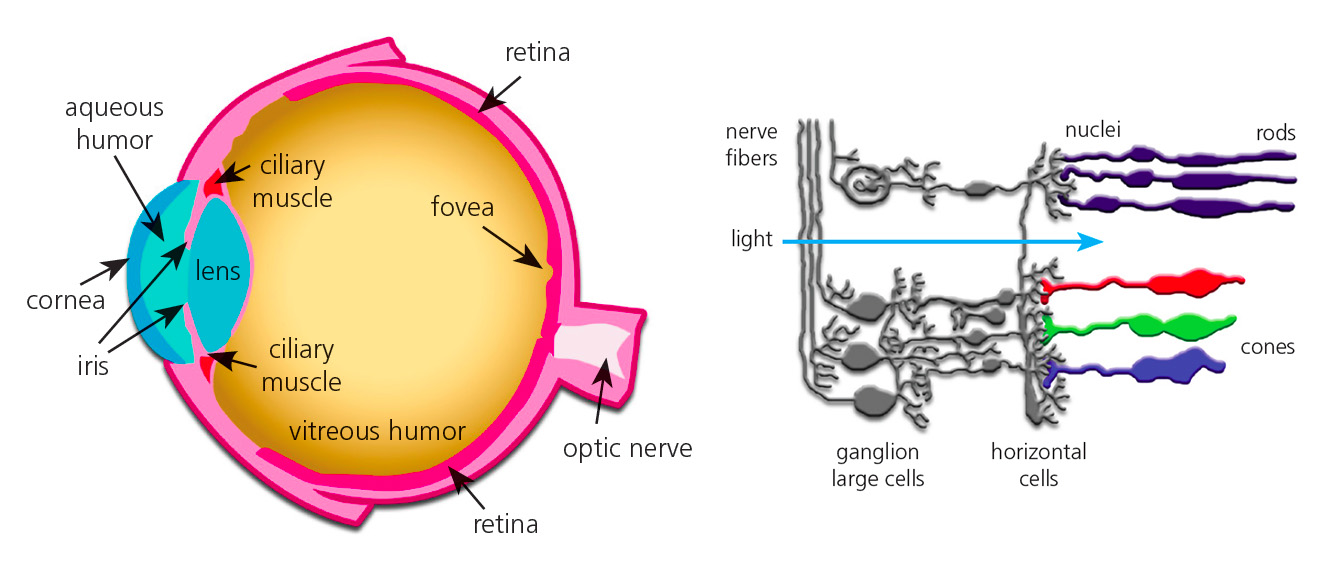
In computer graphics, we usually use the RGB color space to represent colors. The RGB color space is a three-dimensional space, where each axis represents a color channel. RGB is widely used because it directly corresponds to the three color receptors of the human visual system and also directly corresponds to the three emitting colors of LED displays.
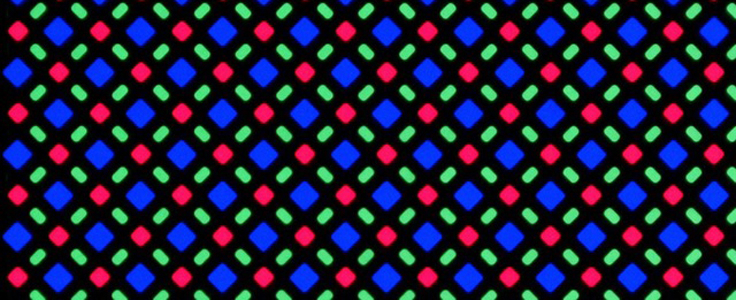
Of course, since the human eye's perception of color is nonlinear and the display hardware has its own characteristics, we need to process RGB before sending it to the display. A standard way to process RGB is to convert linear RGB to sRGB (standard-RGB), which makes colors on the display closer to human perception.
It is important to note that sRGB is not a linear space, which means that color blending and calculations in the sRGB space are different from those in the linear space. All our subsequent discussions will be based on the linear RGB space. In practical applications, conversion should be made according to specific situations.
The only truth
First of all, we need to understand the mathematical formula of alpha blending and the physical meaning of each parameter. This is the basis for subsequent discussions and the only truth we rely on to correctly handle the problem.
Where
- The calculation takes place in the non-premultiplied space
- represents the color value, that is, the intensity of the three RGB lights
- represents the opacity, which can be understood as the overall intensity of the RGB lights
Premultiplied space
Rearranging the above formula 2, we can get the following form:
It is not difficult to find that in the above formula, whether it is , or , they are multiplied by their own . We call the operation of multiplying by premultiplication. Rearranging the formula, we can get the following form:
The above formula is called the blending formula in the premultiplied space. In the premultiplied space, the blending formula becomes simpler, and 3 multiplication operations can be saved in the blending process, which improves performance.
Alpha blending in GLSL
vec4 alpha_blending(vec4 src, vec4 dst) {
  float a = src.a + dst.a * (1.0 - src.a);
  vec3 rgb = (src.rgb * src.a + dst.rgb * dst.a * (1.0 - src.a)) / a;
  return vec4( rgb, a );
}

vec4 alpha_blending_premultiplied(vec4 src, vec4 dst) {
  return vec4(
    src.rgb + dst.rgb * (1.0 - src.a),
    src.a + dst.a * (1.0 - src.a)
  );
}
When blending in the shader, we only need to pay attention to 3 points:
When blending in the shader, we only need to pay attention to 3 points:
- Ensure that
srcanddstare in the same color space when blending, that is, both are in the linear space or both are in the sRGB space - Ensure that
srcanddstare in the same premultiplied space when blending, tiplied space - Blend upstream and downstream, that is,
glBlendFuncandglBlendEquationinopenGlneed to be set correctly to correspond to the selected premultiplied space
What If You Do Wrong